

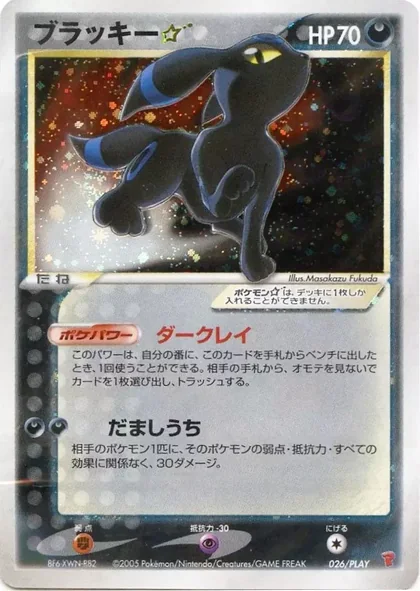


- Set
- Card #
- Language
- Printing
- Condition
- Rarity
- Price
Collector sales desk
The Vendors Table
A modern home for cataloged Pokemon singles, close-up condition photos, offer-ready listings, and an inventory workflow built around how collectors actually sell.
Marketplace
Browse Vendor Tables
0 vendors
Collector demand
Your Wantslist
Save the cards and price limits you are looking for. Matching live listings stay connected to each want.
Import from TCGplayer Bring over up to 100 cards from a TCGplayer list export. Open importer
How it works
- In the TCGplayer app, share or export your saved list as a CSV file.
- Choose that CSV below. Nothing is saved until you review and confirm.
- Duplicates already on your Wantslist are skipped automatically.
Community
Forums
Talk collecting, vendor updates, investing, card questions, and platform feedback.
Free entry
Community Giveaways
Host and active vendors can run free-entry giveaways for cards, slabs, or sealed product. No purchase is required.
Collector calendar
Event Calendar
Share local card shows, vendor shows, trade nights, restocks, and platform events with the community.
Calendar
VT
Direct PayPal Goods & Services
@paypal-username
Vendor Table
Vendor's Table
Pokemon singles, raw cards, and graded slabs
Available
0
Total value
$0
Cataloged
0
Sold
0
Recently viewed
Keep browsing
Browse inventory
Singles
Unpriced inventory
Binder Pics
Browse vendor-uploaded binder pages and message the seller about cards that are not listed with a price yet.
Listing view
Card details
Account profile
Profile
Purchases
0
Vendor status
Not applied
Open orders
0
Account type
Member
Account overview
Vendor badges
Badge showcase
Community flair
Forum identity
Shown beside your name in Community Forums.
Community growth
Referral tools
Share your referral link with collectors and potential sellers. Buyer referrals qualify after the referred buyer completes an order. Vendor referrals qualify after Host approval.
Early Supporter unlocks after 10 qualified buyer referrals and 2 active vendor referrals. Future referral rewards may include badges, profile flair, early access, promotional placement, or other benefits, subject to change.
Self-service
Account info
 Ready
Ready
Update your public nickname here. Email and password changes are handled by Netlify Identity and may require email confirmation.
Email controls
Email preferences
In-app Inbox records stay active. These switches only control which categories also send email.
Display
Settings
Lifecycle
Account safety
Sign in to view account lifecycle options.
PDF summaries are readable account reports. Excel summaries download as CSV. Full archives are raw JSON for complete records.
US seller setup
Vendor Table Details
Trust layer
Vendor Table timestamp
Upload timestamp photos showing all listed inventory in hand with a handwritten Vendor's Table name and date. Update these photos every 14 days or the table locks for sales.
Seller workspace
Vendor Dashboard
Raw cards
0 cards| Set | Condition | Status | Action |
|---|
Graded slabs
0 cards| Set | Condition | Status | Action |
|---|
Inventory
Add Cards
Fulfillment
Orders
Seller operations
Order workflow
Trust controls
Timestamp
Trust layer
Inventory timestamp
Unpriced inventory
Binder Pics
Add binder page
Inventory control
Listings
Listing management
Price, status, and cleanupLive show mode
Closed Shop
Pause online purchases while your cards are available in person. Buyers can still browse your table, but cart and offer actions are disabled.
Open for orders
CSV import
Draft builder
Import rows as hidden drafts, then add photos and publish when each card is ready.
Bulk edit
Selected listings
Choose active listings below, then update price or visibility in one pass.
| Details | Manage |
|---|
Privacy-safe demand
Collector Wants
Demand is grouped across collectors. Buyer identities and private notes are never shown, small groups are banded, and price guidance appears only when enough buyers contribute.
Marketplace guide
How It Works
The Vendors Table is FREE to use.No membership, listing, or platform transaction fees. Browse, buy, and track your order in four simple steps.
PayPal’s standard Goods & Services fees may still apply.Browse tables
Explore trusted vendors and search their available cards.
Review the listing
Check photos and condition details. Message the seller if needed.
Order and pay
Create your order, then pay the seller directly with PayPal Goods & Services.
Track and rate
Follow order updates, confirm delivery, and leave a verified rating.
Good to know
Clear records. Direct payment.
- The Vendors Table does not hold or process your money.
- Messages and order updates stay connected to the transaction.
- PayPal Goods & Services provides the payment and dispute process.
Selling cards?
Open your own table
Agree to the seller policies, create verified listings, and manage orders from one workspace.
Start SellingMarketplace basics
Rules & FAQ
Platform standards
1. Vendor Policy
Required standards for approved sellers, inventory proof, payments, fulfillment, and moderation.
1.1 Standards
- Every vendor must agree to the same Vendor's Table policy before seller tools unlock.
- No private payment rules or separate selling terms override these standards.
1.2 Exact Card
- The buyer must receive the exact card shown in the listing photos.
- Vendors may not substitute a similar copy.
- Shipping an unpictured card may lead to removal or a ban.
1.3 Honesty
- Listings must use accurate card details and condition notes.
- Front and back photos must be clear.
- Visible wear, whitening, dents, scratches, creases, surface issues, or slab damage must be photographed or called out.
1.4 Timestamp
- Timestamp photos must show all listed inventory in hand.
- Photos must include a handwritten Vendor's Table name and date.
- Timestamps must be updated every 14 days.
- Expired or missing timestamps lock the table from new sales until updated.
1.5 PayPal G&S
- Vendors may only accept buyer payment through PayPal Goods & Services.
- Friends & Family, cash apps, wire transfers, crypto, gift cards, and other off-platform methods are not allowed.
1.6 Sales Tax
- Vendor's Table does not process payments, collect sales tax, remit sales tax, or act as merchant of record.
- Vendors are responsible for determining and collecting tax when required.
- Vendors are responsible for reporting and paying sales tax, use tax, marketplace, income, or other tax obligations to the proper authorities.
1.7 Fulfillment
- Vendors must confirm payment before shipping.
- Cards must be packaged safely and shipped within the stated handling time.
- Tracking should be added when available.
- Order communication should stay clear and traceable in the inbox.
1.8 Enforcement
- Vendors must cooperate with refund requests, disputes, Host moderation, and PayPal records.
- Misleading listings, substituted cards, non-shipment, harassment, or unsafe conduct may result in listing removal, vendor suspension, or a platform ban.
Platform terms
2. Terms
Terms for account access, direct seller payments, marketplace records, and platform moderation on Vendor's Table.
2.1 Access
- Members must provide accurate account, order, listing, shipping, and payment-contact information.
- Accounts may not be shared, impersonated, automated, sold, transferred, or used to evade restrictions.
- Vendor's Table may limit, suspend, or remove access for fraud, abuse, unsafe conduct, repeated disputes, or policy violations.
2.2 Role
- Vendor's Table provides marketplace listing, order-record, messaging, moderation, review, and support tools.
- Vendor's Table does not process payments, hold funds, ship cards, authenticate cards, collect tax, or act as merchant of record.
- Direct sales are between buyer and seller using PayPal Goods & Services only.
2.3 Records
- Order, listing, message, report, review, audit, timestamp, support, and evidence records must remain truthful and complete.
- Members may not falsify evidence, remove context, manipulate reviews, or submit knowingly false reports.
- Platform records may be retained when needed for safety, fraud review, disputes, legal compliance, or account enforcement.
2.4 Limits
- The platform may remove content, hide listings, pause vendor tables, restrict accounts, or preserve evidence during review.
- Vendor's Table may update policies, tools, eligibility, and marketplace access as safety, legal, or operational needs change.
- Policy questions and formal notices should route through legal@vendorstable.com.
Data and privacy
3. Privacy
What Vendor's Table expects to collect, use, retain, and protect while running the pilot marketplace.
3.1 Data
- Vendor's Table stores account profile data, vendor applications, listings, photos, timestamp proof, orders, messages, reviews, reports, support requests, and Host audit records.
- Buyer PayPal usernames and shipping details are shared with the seller only for the specific order.
- Do not send passwords, payment-card numbers, bank details, or unnecessary personal documents through messages or support.
3.2 Use
- Data is used to operate accounts, listings, order records, support, notifications, safety reviews, fraud prevention, and moderation.
- Order contact and shipping details may not be reused for marketing, harassment, unrelated sales, or any non-order purpose.
- Host and moderator tools should expose only the information needed to review safety, support, and marketplace operations.
3.3 Retention
- Members can request account export or deletion from Profile.
- Deletion may not remove order, payment-reference, report, audit, safety, fraud, dispute, tax-related, or legal-preservation records.
- Evidence and audit records may be retained when needed to protect buyers, sellers, the Host, or the platform.
3.4 Cookies
- The site may use necessary cookies, local storage, Identity session storage, and similar tools for login, cart, preferences, security, and basic site operation.
- Analytics or advertising cookies should not be added without updating this policy surface and consent expectations.
Vendor obligations
4. Seller Standards
Baseline seller conduct for listings, condition, timestamp proof, fulfillment, tax responsibility, and buyer communication.
4.1 Accuracy
- Listings must identify the correct card, set, number, language, printing, condition, grade, cert number, and price.
- Raw condition must match photos and notes. Graded listings must show front and back slab photos plus certification details.
- Vendors may not use stock photos as the required proof of the card being sold.
4.2 Inventory
- Vendors must have the listed cards in hand and maintain timestamp proof covering all listed inventory.
- Timestamp proof must include a handwritten Vendor's Table name and date and must be refreshed every 14 days.
- Expired proof, missing proof, or repeated inventory mismatch may lock sales or trigger Host review.
4.3 Shipping
- Vendors must confirm PayPal Goods & Services payment before shipping.
- Cards must be packed to prevent bending, moisture, slab damage, and avoidable transit damage.
- Tracking, packaging photos, and shipment proof should be kept when the order value or risk justifies it.
4.4 Taxes
- Each vendor is responsible for determining, collecting, reporting, and remitting any required sales, use, income, marketplace, or similar taxes.
- Vendor's Table does not calculate, collect, remit, or guarantee tax treatment for any direct sale.
- Vendors should consult their own tax professional where needed.
4.5 Marketing
- Vendor marketing use is opt-in through the Vendor Application or later written approval.
- Consent only covers approved public table details, logos, public links, and publicly listed inventory.
- Private account, order, address, message, evidence, and payment-contact information may not be used for marketing.
Listing safety
5. Prohibited
Items and behavior that should not appear on Vendor's Table during the Pokemon-card pilot.
5.1 Items
- No counterfeit, fake, proxy, reproduction, custom, resealed, altered, stolen, or misrepresented cards.
- No mystery packs, gambling-style breaks, raffles, blind lots, weighed packs, or items the seller does not physically possess.
- No non-Pokemon items unless the platform later opens a clearly labeled category.
5.2 Claims
- No false scarcity, false grade, false certification, false language, false printing, or undisclosed restoration/alteration claims.
- No photos that hide material damage, substitute a different card, or imply authentication the seller cannot support.
- No use of another seller's photos without permission and clear accuracy.
5.3 Payments
- No requests for PayPal Friends & Family, cash apps, wire transfers, crypto, gift cards, or other unsupported payment methods.
- No attempts to bypass order records, avoid PayPal Goods & Services, evade moderation, or pressure buyers off the platform record.
5.4 Conduct
- No harassment, threats, hate, doxxing, spam, review manipulation, extortion, or retaliation for reports.
- No knowingly false reports, evidence tampering, or abusive support submissions.
Buyer and seller protection
6. Returns
How refund, return, dispute, evidence, and Host moderation records should be handled through PayPal Goods & Services and platform records.
6.1 PayPal G&S
- Vendor's Table does not hold funds or process refunds.
- Buyers and sellers must use PayPal Goods & Services for refund claims, chargeback records, and formal dispute resolution.
6.2 Refunds
- A refund or return should be considered if the buyer receives a different card than pictured.
- Refund review may apply when condition was materially inaccurate, the item is counterfeit, shipment never occurs, or both parties agree to reverse the transaction.
6.3 Returns
- Return shipping should be agreed to in the order conversation or handled through the PayPal case.
- Buyers should preserve photos, tracking, packaging evidence, and PayPal claim or message records before returning a card.
- Return-shipping responsibility should be recorded as buyer, seller, split, PayPal case, not required, or pending before the order is marked resolved.
6.4 Evidence
- Keep listing photos, close-ups, message history, PayPal transaction IDs, tracking, and delivery scans.
- Keep packaging photos and condition photos when a dispute is possible.
- Lost-mail and damaged-mail claims should include tracking, carrier scans, packaging photos, delivery photos, or a concise note explaining what proof is unavailable.
- Host moderation uses these records when reviewing reports or account patterns.
6.5 Moderation
- The Host may organize reports, record notes, identify repeated behavior, and restrict listings or vendor access.
- The Host helps preserve records but does not replace PayPal, a card authenticator, a shipping carrier, or legal advice.
6.6 Abuse
- Repeated nonpayment, false refund claims, substituted-card shipments, harassment, or refusal to cooperate may lead to moderation.
- Attempts to move payment off PayPal G&S may lead to vendor suspension, account restriction, or a platform ban.
6.7 Shipping Loss
- Lost-mail issues should be opened as a dispute or refund request with tracking, carrier scans, shipment notes, and PayPal case details when available.
- Untracked PWE shipments carry higher proof risk; sellers should use BMWT/tracking for higher-value orders and keep shipment proof.
- Insurance status should be recorded as not applicable, not purchased, available, claim planned, claim filed, paid, or denied.
6.8 Damage
- Damaged-mail issues should include card photos, packaging photos, tracking, delivery scans, and any carrier or insurance reference.
- Seller packing proof and buyer arrival photos help determine whether the issue belongs in PayPal, carrier insurance, Host moderation, or a direct buyer/seller resolution.
6.9 Failed Payment
- Failed, reversed, incorrect, or unverifiable PayPal transactions should be recorded before shipping or before closing an order for nonpayment.
- Sellers should not ship until PayPal Goods & Services payment is confirmed and should keep payment references in the order record.
Community safety
7. Community
Expected buyer, seller, and Host-facing conduct for a small trust-based marketplace.
7.1 Respect
- Keep messages direct, civil, and transaction-focused.
- No harassment, slurs, threats, intimidation, unwanted personal contact, or pressure tactics.
- Disagreements should stay tied to facts, photos, tracking, PayPal records, and platform order records.
7.2 Good Faith
- Buyers should pay promptly, inspect listings carefully, and raise concerns with evidence.
- Sellers should respond promptly, ship safely, and address mistakes without evasion.
- Both sides should preserve records until the order is complete and any dispute window has passed.
7.3 Reviews
- Reviews should reflect actual completed order experiences.
- No fake reviews, review trading, coercive review demands, or retaliation for honest feedback.
- Reviews may be moderated when they are abusive, false, irrelevant, or expose private information.
7.4 Enforcement
- Host action may include warnings, content removal, listing locks, vendor suspension, account restriction, or platform bans.
- Severe fraud, safety, or legal issues may be preserved for external payment, carrier, legal, or law-enforcement channels when appropriate.
Community rewards
8. Referrals
Referral tools help members invite real collectors and trusted vendors while keeping reward credit tied to completed marketplace activity.
8.1 Credit
- Each member may generate a referral link from Profile.
- Buyer referrals qualify only after the referred buyer completes an order.
- Vendor referrals qualify only after the referred member agrees to the Vendor Policy and creates a public Vendor Table.
- The tracker may show total referrals, qualified buyers, active vendors, and a single aggregate count of cards purchased by referred buyers.
8.2 Rewards
- The Early Supporter badge is currently planned for members who refer 10 qualified buyers and 2 active vendors.
- Future referral rewards may include badges, profile flair, early feature access, promotional placement, or other benefits.
- Reward rules, availability, and eligibility may change as the platform grows.
8.3 Abuse
- Self-referrals, fake accounts, spam, harassment, paid manipulation, or misleading referral claims are not allowed.
- The Host may reject, revoke, correct, or withhold referral credit or rewards for abuse, duplicate accounts, errors, refunds, disputes, or unsafe behavior.
- Referral tools are for platform growth, not guaranteed compensation.
Helpful answers
9. FAQ
9.1 How do payments work?
- Vendor's Table creates and tracks the order.
- Vendor's Table does not process money.
- Buyers pay sellers directly with PayPal Goods & Services only.
9.2 Who handles sales tax?
- Vendors handle sales tax for their direct sales.
- Vendor's Table does not process transactions, collect tax, remit tax, or act as merchant of record.
- Each vendor is responsible for required calculation, collection, reporting, and payment.
9.3 What happens after an order is created?
- The seller receives the buyer's PayPal username, shipping details, selected cards, and total.
- The seller confirms direct payment and ships the order.
- The buyer can rate the vendor after delivery.
9.4 What photos are required?
- Each listing needs front and back close-up photos.
- Non-Mint raw listings need at least one damage or flaw photo.
- Mint listings may omit flaw photos when there are no visible flaws.
- Graded slabs need front and back slab photos, but not raw condition or flaw photos.
- Vendors must maintain inventory timestamp photos every 14 days.
9.5 How should condition be listed?
- The listed condition must match the photos.
- Condition notes should call out flaws directly, especially below Near Mint.
- Use Mint only when front and back close-ups show no visible flaws.
- Graded slabs use grader, grade, and certification number instead of raw condition.
9.6 Can sellers list graded slabs?
- Yes. Vendor's Table supports raw cards plus PSA, TAG, and Beckett BGS slabs.
- Graded listings include grade and certification fields.
- A cert number is required so buyers can open the certification link.
9.7 How do refunds work?
- Refunds are handled directly through PayPal Goods & Services between buyer and seller.
- Vendor's Table keeps order records, messages, reports, and Host notes organized.
9.8 Where do I get help?
- Use Support for account access, seller setup, order issues, reports, refunds, disputes, and pilot support.
- Choose the route that best matches the issue.
9.9 What if a buyer does not pay?
- Sellers can close an unpaid order for nonpayment after checking messages and payment records.
- Inventory may be released back to the Vendor Table when appropriate.
9.10 What should buyers compare?
- Listings include TCGPlayer and PriceCharting links.
- Buyers can compare market pricing before making an offer or purchase.
Help desk
Support & Contact
Start here
Choose the right support path
Choose the path that matches the record you need help with. PayPal Goods & Services remains the payment, refund, and chargeback remedy.
Orders and disputes
Use Transactions for status, messages, shipment details, refunds, disputes, and evidence.
Listing concerns
Report the listing with the card name, photos, and a concise description of the concern.
Account access
Use Profile for account details, export, deletion, and email preferences. Recovery starts from Log In.
Seller tools
Sign in, accept the Vendor Policy, and create your table instantly. Vendors manage listings, orders, and messages in Vendor Dashboard.
Pilot support policy
What to include
Evidence and records
- Include order number, listing name, PayPal transaction or case ID, tracking, photos, and a short timeline.
- Do not send passwords, payment-card numbers, or bank details.
Response expectations
- Account lockouts, safety reports, and active order disputes are highest priority.
- Feature requests may wait behind active marketplace issues.
Payment boundaries
- Vendor's Table is not the merchant of record.
- We do not hold funds, process payments, issue refunds, or decide PayPal chargebacks.
Private Host queue
- Reports, exceptions, account restrictions, reviews, and delivery failures route to the Host queue.
- Host actions create audit records for accountability.
Contact
Contact directory
Submit a support ticket or choose the best mailbox with a concise subject and any record IDs you can find. Keep sensitive credentials out of email.
support@vendorstable.com
General support tickets, account help, order issues, and buyer/seller questions.
hello@vendorstable.com
Welcome, general contact, and first-touch questions.
vendorrequests@vendorstable.com
Vendor feature requests and seller workflow ideas.
legal@vendorstable.com
Legal, policy, rights, compliance, and formal inquiries.
admin@vendorstable.com
Admin, platform operations, and Host-level contact.
Account access
Sign in to Vendors Table
Seller access
Vendor Application
- 1Verified account
- 2Application
- 3Host review
- 4Seller tools
Apply to open a Vendor Table
Submit a concise seller profile, payment contact, and reputation proof. Seller tools unlock after Host approval and Vendor Policy acceptance.
Account history
Transactions
Back to Inbox
0 pending
Transaction history
Buyer and seller orders stay here for receipts, messages, reports, and completed records.
Account inbox
Inbox
Conversations, order updates, reviews, and account alerts in one place.
Host tools
Host Command Center
Host access required
Sign in with the Host account.
Go to Account
Open reports
0
Reviewed
0
Escalated
0
Assigned to me
0
Marketplace supply
Active vendors
Accounts & roles
Account records
Sign in to create or load an indexed account.
No active account
Lifecycle safety
Restrictions & deletion
Restrict pauses marketplace actions, suspend locks account tools, and reactivate restores access after review.
Community growth
Referral monitor
Verify referral progress, buyer-order qualification, approved-vendor credit, aggregate referred-card purchases, and unusual patterns before rewards expand.
Referrers
Top members
Audit view
Recent referral events
Platform analytics
Marketplace health
Host-only operational metrics for volume, orders, listings, support, reports, and marketplace activity.
Pilot support
Support tickets
Contact form submissions persist here with status, priority, assignment, Host notes, and email delivery state.
Trust & safety
Report queue
Automated review
Scanner flags
Text and upload scanners create Host review flags only. No account, listing, or order action is automatic.
Reputation controls
Verified reviews
Enforcement
Warnings, appeals & badges
Record enforcement decisions, run automatic vendor badge rules, and award Host-managed badges.
Order oversight
Order activity
Backend operations
Automation & exports
Preview stale payment windows, clean expired cart reservations, flag stuck orders, and download Host-safe records.
Upload lifecycle
Blob cleanup
Track uploaded files, linked records, replacements, deletions, and possible orphans before cleanup.
Audit trail
Host audit log
Cross-check report, review, and exception actions with actor IDs, target records, and timestamps.
Exception moderation
Order exceptions
Review cancellations, nonpayment closures, refund requests, refund records, disputes, and resolved exceptions. Add Host notes when evidence or account patterns need a record.
Email operations
Email delivery
Sent 0
Skipped 0
Failed 0
Privacy-safe view: shows delivery status, masked recipient, and error metadata only.
Access
Authorized moderation
Host intelligence
Growth Dashboard
Acquisition, activation, marketplace liquidity, and repeat-use signals in one privacy-conscious view.
Host access required
This dashboard requires a verified Host identity. Browser navigation alone cannot unlock its data.
Go to AccountBuyer journey
Marketplace funnel
Unique actors are deduplicated using the signed-in account or a random browser session key.
Marketplace health
Liquidity
Supply activation
Vendor progress
Acquisition
Visitor sources
Engagement
Top destinations
Unmet demand
Zero-result searches
Only short, normalized card-search terms are retained; email-like and phone-like input is discarded.
Purchase preview
Cart
Your cart is empty.
Subtotal
$0.00
Shipping
$1.00
Total
$0.00
Vendor's Table does not process, hold, or transfer funds. After the order is created, send payment directly to the seller using PayPal Goods & Services, then mark payment sent from your order tracker.